Perception

Find every contrast failure before handoff

Scan your Figma designs for text and icon contrast issues against WCAG. Select your frames, hit scan, and get a pass/fail breakdown you can act on.
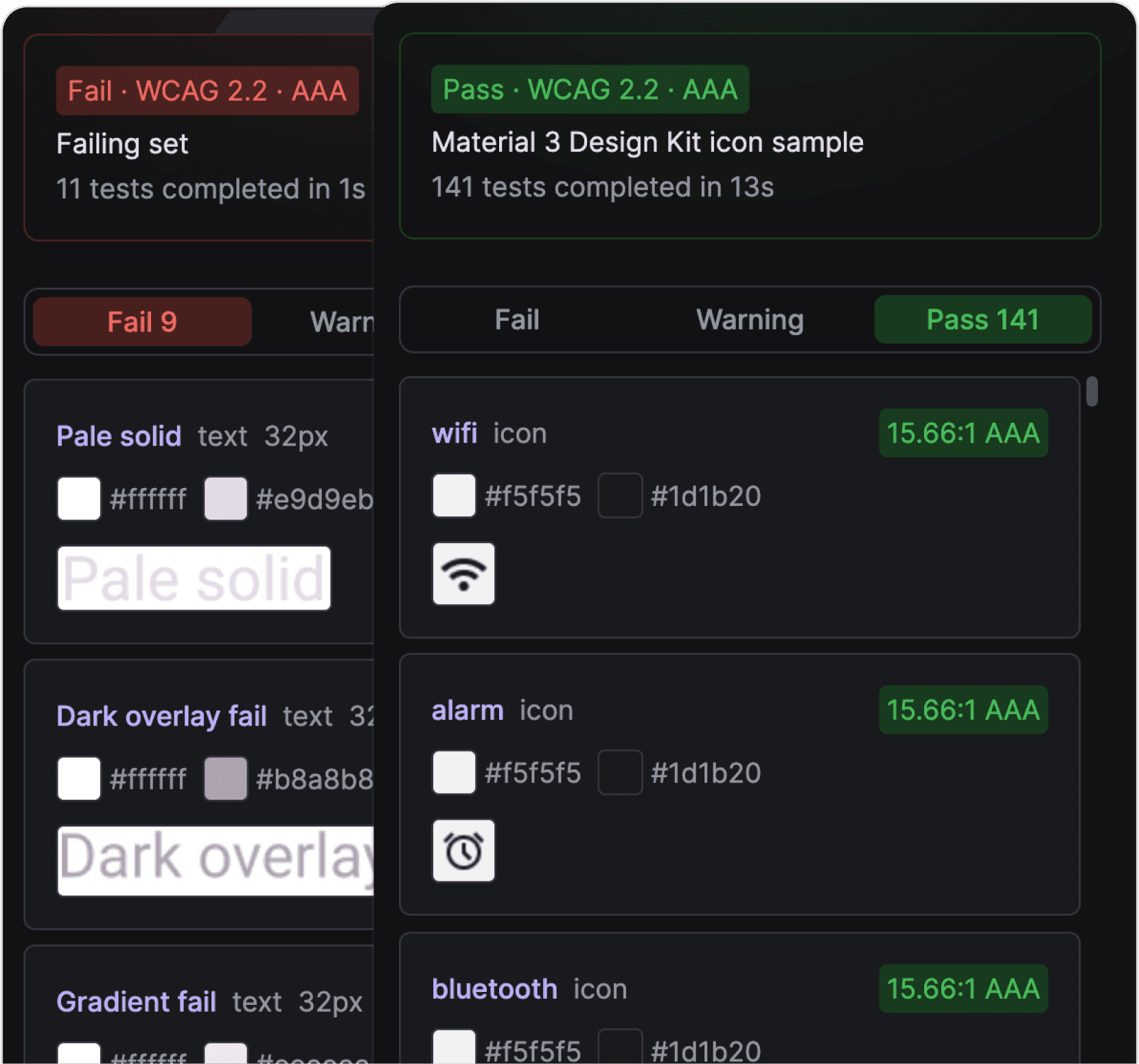
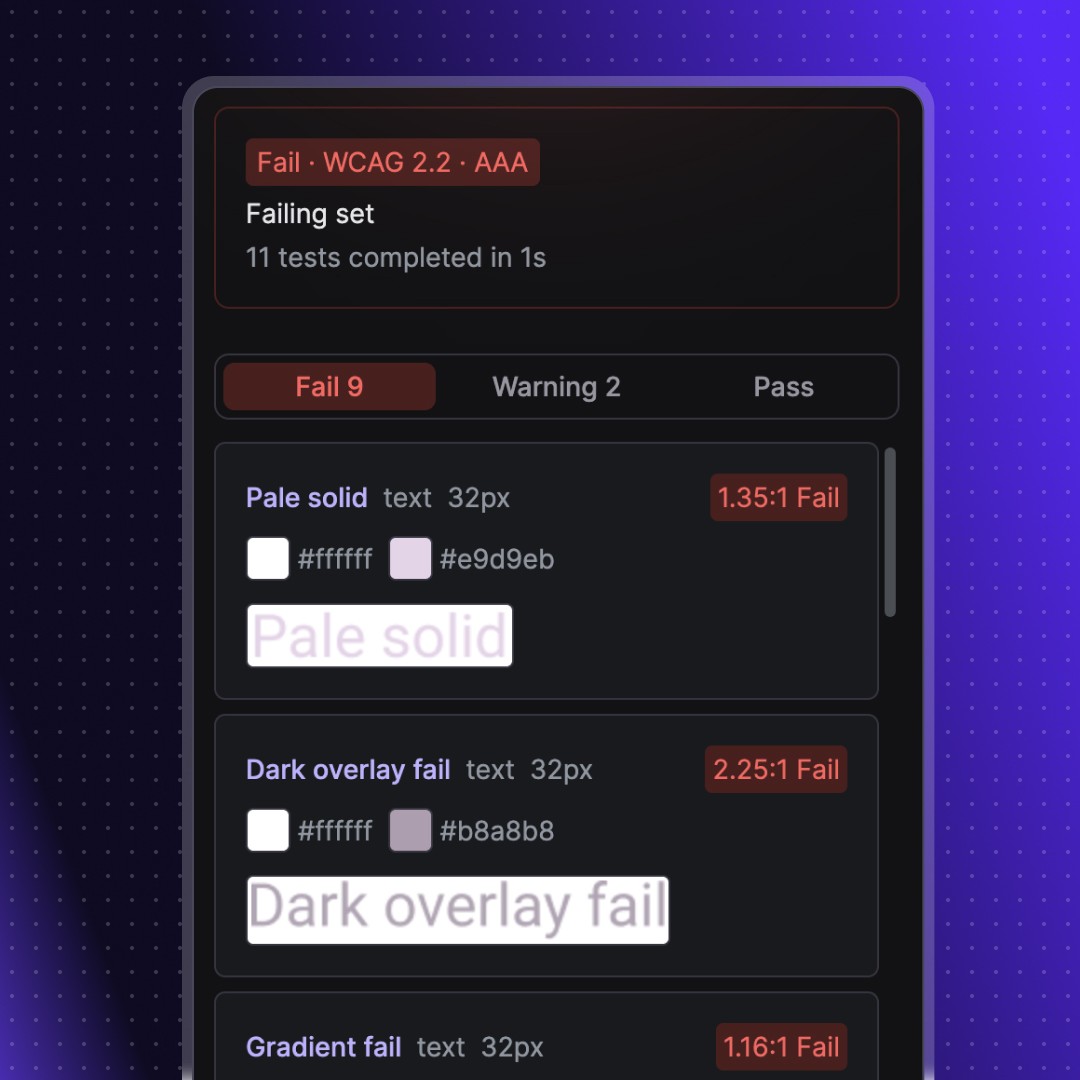
Perception screnshots of passing and failing test results

Difference

What makes Perception different

What makes Perception different

Where other tools break on gradients, images, and layered fills, Perception uses dominant colour detection to test what users actually see.

Icon contrast testing

Icon contrast testing

Icon contrast testing

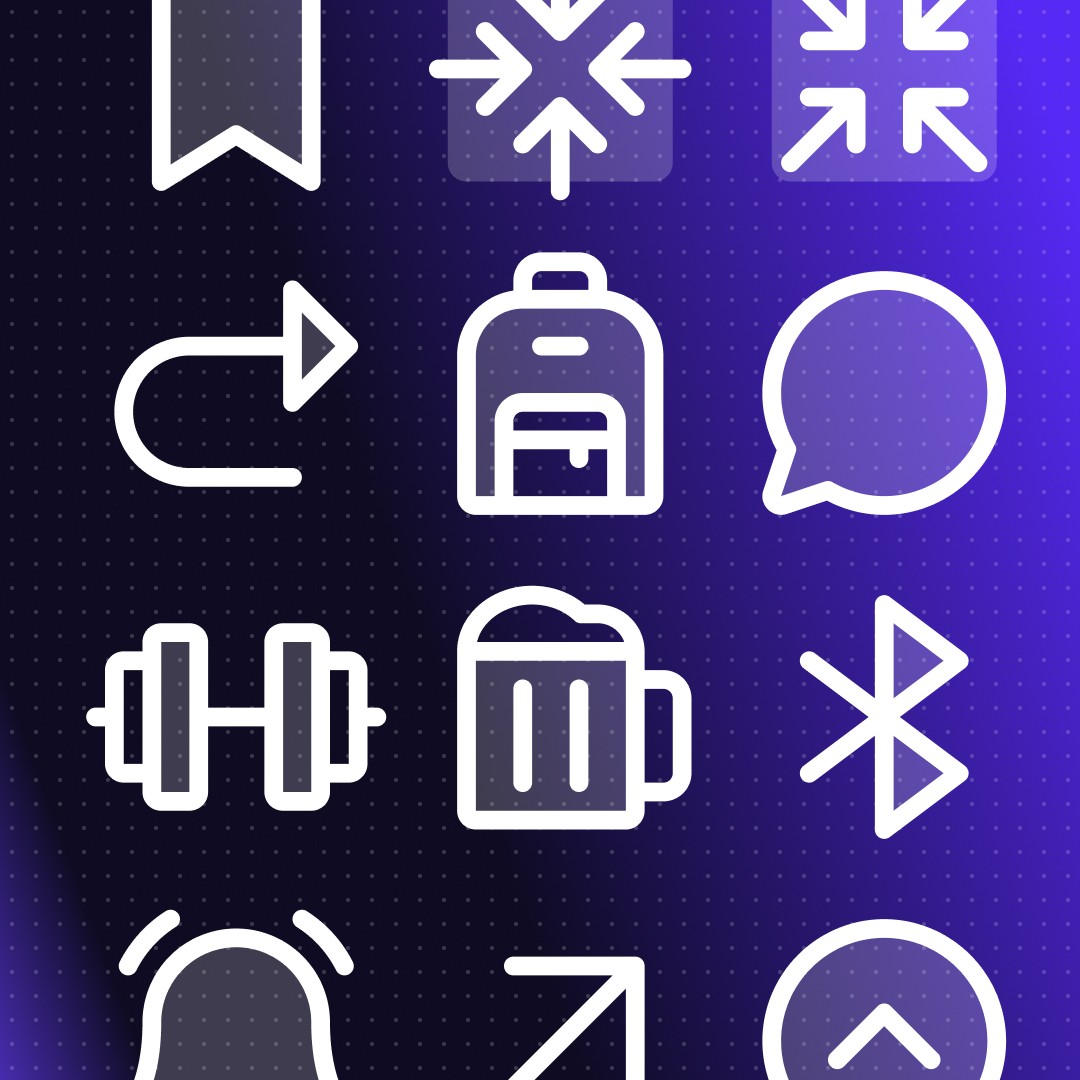
Most contrast tools only check text. Perception tests icons too, including requirements for non-text UI components in WCAG 2.2. Get notified if your icons fail before your users do.
Dominant colour detection

Dominant colour detection

Dominant colour detection

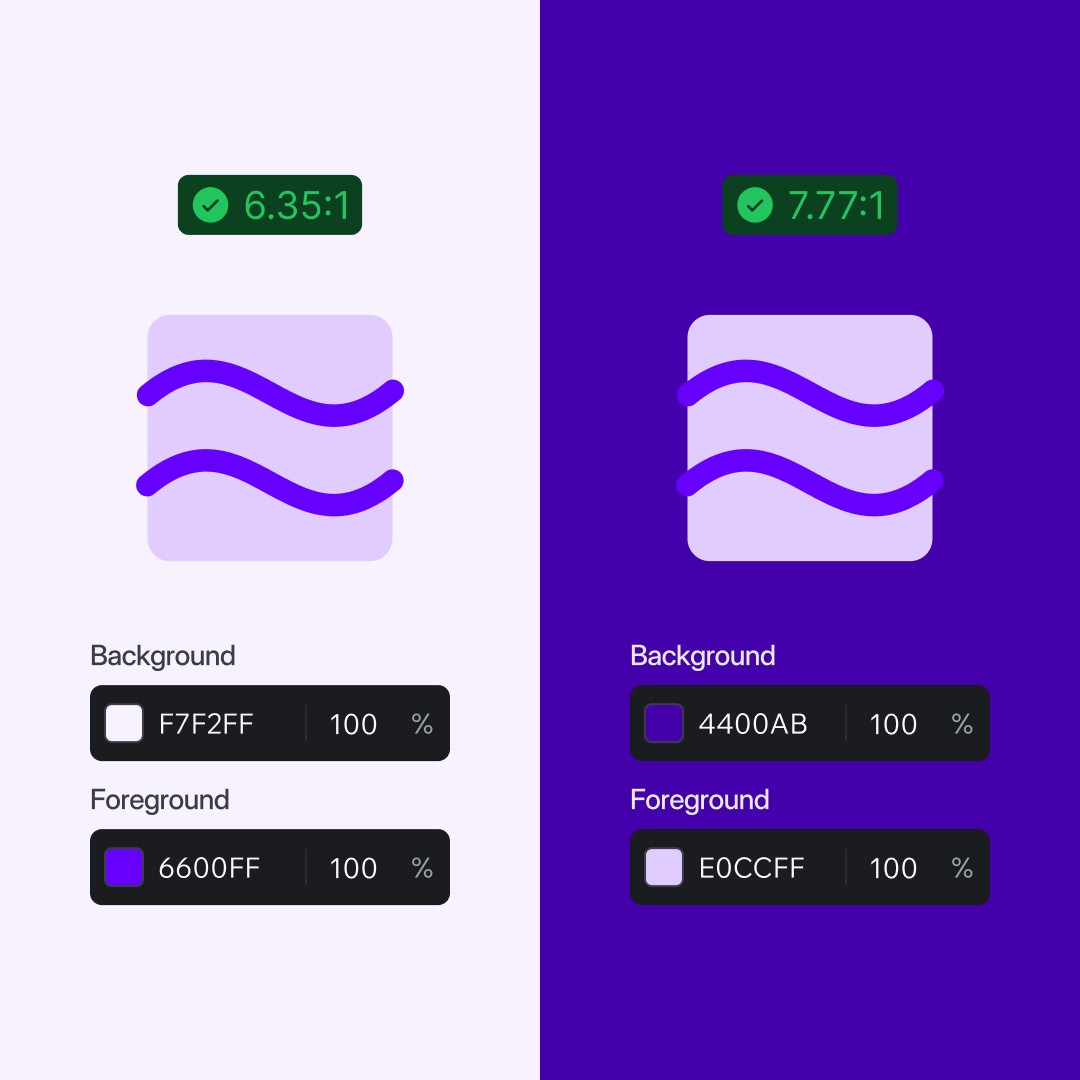
Perception calculates contrast from the dominant colour factoring in gradients, images, blending modes, and effects for true accuracy. Results reflect reality.

Bulk testing

Bulk testing

Bulk testing

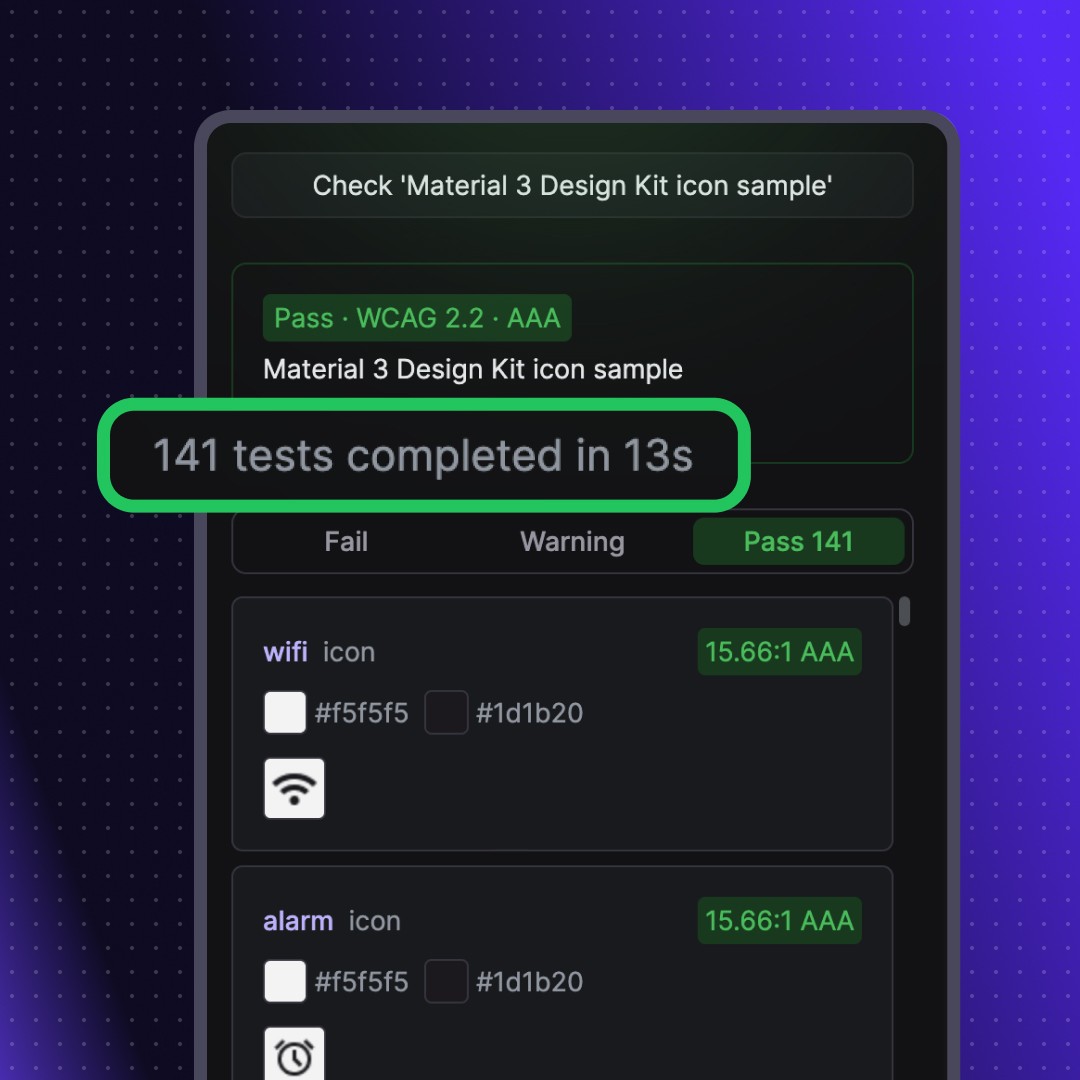
Select any frames, components, or layers. Get a pass/warning/fail breakdown of text and icon contrast - instantly filter by result and jump straight to each node.
How it works

How it works

How it works

Select your layers

Pick frames, components, sections, entire pages, hell anything you want to check

Select your layers

Pick frames, components, sections, entire pages, hell anything you want to check

Run a scan

Perception finds text and icon elements, detects foreground and background colours, and calculates contrast ratios

Run a scan

Perception finds text and icon elements, detects foreground and background colours, and calculates contrast ratios

Review results

Filter by pass or fail. See the exact colours, contrast ratio, and WCAG level for each element

Review results

Filter by pass or fail. See the exact colours, contrast ratio, and WCAG level for each element

Fix and re-test

Jump to any failing node, fix it, and re-test that specific result without re-running the full scan

Fix and re-test

Jump to any failing node, fix it, and re-test that specific result without re-running the full scan

Features

Features

Features

Scan text and icons against WCAG 2.0, 2.1, and 2.2 AA/AAA all in bulk

Bulk testing

Dominant colour detection handles gradients, images, opacity, and blending

Context aware detection

Individual re-testing; jump to any failed node in your designs instantly

Quick re-tests

Switch colour formats HEX, RGB, HSL, HSB. Small-text and readability warnings

Customisable

Pricing

Pricing

Where other tools break on gradients, images, and layered fills, Perception uses dominant colour detection to test what users actually see.

Insider

£0.00

/month

For designers running contrast checks before handoff

Text and icon contrast scanning

WCAG 2.0, 2.1, and 2.2 at AA and AAA

Dominant colour detection for complex fills

Bulk scanning across frames and components

Set max icon size

Pro

£3.99

/month

For design system work where you need control over what gets flagged

Everything in Insider

Set max icon size to cut false positives

Access to all features

Priority support

Support an indie plugin developer

Insider

£0.00

/month

For designers running contrast checks before handoff

Text and icon contrast scanning

WCAG 2.0, 2.1, and 2.2 at AA and AAA

Dominant colour detection for complex fills

Bulk scanning across frames and components

Set max icon size

Pro

£3.99

/month

For design system work where you need control over what gets flagged

Everything in Insider

Set max icon size to cut false positives

Access to all features

Priority support

Support an indie plugin developer

Coming soon

Features in development

Features in development

Override detected colours when you know the actual value

Manual colour overrides

Test against the Advanced Perceptual Contrast Algorithm alongside WCAG

APCA contrast mode

Save test data to the canvas and reopen it later

Persistent results

Join 126 other insiders who still care about design

Becoming an insider means you'll be the first to hear about new tools, products, and features. Have your say on our product roadmap, and get exclusive discounts.

By subscribing you agree to our privacy policy

Join 126 other insiders who still care about design

Becoming an insider means you'll be the first to hear about new tools, products, and features. Have your say on our product roadmap, and get exclusive discounts.

By subscribing you agree to our privacy policy

Who Perception is for

Who Perception is for

Product designers working in Figma who check accessibility before handoff. Especially useful if you work with design systems, component libraries, or large files with dozens of variants.

Perception is a pre-handoff checker. It catches contrast failures early so you're not fixing them in code. It's not a replacement for proper QA with real content, real devices, and real assistive technology. A "pass" isn't a compliance certificate - edge cases like complex imagery, anti-aliasing, and dynamic states still need human review.

What's always annoyed me is that even with a robust design system in place, I'd still end up manually checking contrast ratios.

The existing tools would choke on gradients, fall apart with image backgrounds, and completely ignore blending modes. So I'd be there, squinting and manually picking pixels hoping for the best.

It felt like a problem that should have been solved years ago.

So I built this plugin to handle the messy reality of actual design work - not just solid text on solid backgrounds, but the gradients, opacity, and effects that I see all the time.

Ben

Founder, Design System Tools

What's always annoyed me is that even with a robust design system in place, I'd still end up manually checking contrast ratios.

The existing tools would choke on gradients, fall apart with image backgrounds, and completely ignore blending modes. So I'd be there, squinting and manually picking pixels hoping for the best.

It felt like a problem that should have been solved years ago.

So I built this plugin to handle the messy reality of actual design work - not just solid text on solid backgrounds, but the gradients, opacity, and effects that I see all the time.

Ben

Founder, Design System Tools

Comparison

How Perception compares

How Perception compares

How Perception compares
FeaturePerception FreePerception ProStark FreeStark ProContrastAble
Pricing
Annual CostFree£39.99/yrFree$120/yrFreeFree
Core Contrast
Text ContrastIncludedIncludedIncludedIncludedIncludedIncluded
Icon ContrastIncludedIncludedNot includedNot includedNot includedNot included
Dominant Colour DetectionIncludedIncludedNot includedNot includedNot includedNot included
Shows Contrast RatioIncludedIncludedIncludedIncludedNot includedIncluded
Shows Tested ColoursIncludedIncludedIncludedIncludedNot includedIncluded
Opacity SupportIncludedIncludedIncludedIncludedIncludedNot included
Standards
WCAG 2.0IncludedIncludedIncludedIncludedNot includedNot included
WCAG 2.1IncludedIncludedIncludedIncludedIncludedIncluded
WCAG 2.2IncludedIncludedIncludedIncludedNot includedNot included
AA + AAAIncludedIncludedIncludedIncludedIncludedIncluded
APCAComing soonComing soonNot includedIncludedIncludedNot included
Workflow
Bulk ScanningIncludedIncludedNot includedIncludedIncludedNot included
Component + Instance SupportIncludedIncludedNot includedIncludedIncludedNot included
Links to Tested NodeIncludedIncludedNot includedIncludedIncludedNot included
Ignore False PositivesNot includedNot includedNot includedIncludedNot includedNot included
Auto MonitoringNot includedNot includedNot includedIncludedNot includedNot included
Beyond Contrast
Type Size CheckingIncludedIncludedNot includedNot includedNot includedNot included
Touch Target SizeNot includedNot includedNot includedIncludedNot includedNot included
Vision SimulatorNot includedNot includedNot includedIncludedNot includedIncluded
Focus OrderNot includedNot includedNot includedIncludedNot includedNot included
Alt Text AnnotationsNot includedNot includedNot includedIncludedNot includedNot included
Compliance ReportingNot includedNot includedNot includedIncludedNot includedNot included
How Perception compares
FeaturePerception FreePerception ProStark FreeStark ProContrastAble
Pricing
Annual CostFree£39.99/yrFree$120/yrFreeFree
Core Contrast
Text ContrastIncludedIncludedIncludedIncludedIncludedIncluded
Icon ContrastIncludedIncludedNot includedNot includedNot includedNot included
Dominant Colour DetectionIncludedIncludedNot includedNot includedNot includedNot included
Shows Contrast RatioIncludedIncludedIncludedIncludedNot includedIncluded
Shows Tested ColoursIncludedIncludedIncludedIncludedNot includedIncluded
Opacity SupportIncludedIncludedIncludedIncludedIncludedNot included
Standards
WCAG 2.0IncludedIncludedIncludedIncludedNot includedNot included
WCAG 2.1IncludedIncludedIncludedIncludedIncludedIncluded
WCAG 2.2IncludedIncludedIncludedIncludedNot includedNot included
AA + AAAIncludedIncludedIncludedIncludedIncludedIncluded
APCAComing soonComing soonNot includedIncludedIncludedNot included
Workflow
Bulk ScanningIncludedIncludedNot includedIncludedIncludedNot included
Component + Instance SupportIncludedIncludedNot includedIncludedIncludedNot included
Links to Tested NodeIncludedIncludedNot includedIncludedIncludedNot included
Ignore False PositivesNot includedNot includedNot includedIncludedNot includedNot included
Auto MonitoringNot includedNot includedNot includedIncludedNot includedNot included
Beyond Contrast
Type Size CheckingIncludedIncludedNot includedNot includedNot includedNot included
Touch Target SizeNot includedNot includedNot includedIncludedNot includedNot included
Vision SimulatorNot includedNot includedNot includedIncludedNot includedIncluded
Focus OrderNot includedNot includedNot includedIncludedNot includedNot included
Alt Text AnnotationsNot includedNot includedNot includedIncludedNot includedNot included
Compliance ReportingNot includedNot includedNot includedIncludedNot includedNot included

Perception does contrast checking. It does it accurately, including for icons and complex fills. It doesn't try to be a full accessibility suite - if you need vision simulation, focus order, alt text, and compliance reporting, Stark's paid plans cover that.

For an honest comparison of every major plugin, read The Best Figma Plugins for Accessibility Testing on benjaminwalsh.co.uk.

FAQ

Frequently asked questions

Frequently asked questions

Does Perception work with components and instances?

Yes. Select components, instances, sections, or any combination of layers. Perception tests them all in a single scan.

What WCAG versions does Perception support?

How does dominant colour detection work?

Does Perception check icon contrast?

Is Perception free?

How is Perception different from Stark?

Join 126 other insiders who still care about design

Becoming an insider means you'll be the first to hear about new tools, products, and features. Have your say on our product roadmap, and get exclusive discounts.

By subscribing you agree to our privacy policy

© Darkside Design Ltd. All rights reserved

Made with 🧡 on 🌍 Earth

Join 126 other insiders who still care about design

Becoming an insider means you'll be the first to hear about new tools, products, and features. Have your say on our product roadmap, and get exclusive discounts.

By subscribing you agree to our privacy policy

© Darkside Design Ltd. All rights reserved

Made with 🧡 on 🌍 Earth

Join 126 other insiders who still care about design

Becoming an insider means you'll be the first to hear about new tools, products, and features. Have your say on our product roadmap, and get exclusive discounts.

By subscribing you agree to our privacy policy

© Darkside Design Ltd. All rights reserved

Made with 🧡 on 🌍 Earth